It's worth a look!

Tips and tricks for using technology in your classroom.
Friday, September 20, 2013
Life in Middle School Giveaway
One of the blogs I read, Life in Middle School, is having a giveaway with a lot of prizes. The list of prizes include:
$25 Amazon or TPT Gift Card (Winner's Choice)
My entire 35 item TPT Store
Prize donated by Middle School OCD
Prize donated by Joy in 6th Grade
Common Core Task Cards from Carson Dellosa Publishing
Winner's Choice of 2 Items from Teaching Tales Along the Yellow Brick Road's TPT Store
Graphics Set from I'm Lovin' Lit
Paragraph of the Week Kit from Teaching in Room 6
Number of the Day Task Cards from Laffin's Learnings
12 Genre Book Reports from 2 Peas and a Dog
Winner's Choice of a Math Unit from Ideas by Jivey
It's worth a look!
It's worth a look!

Monday, September 16, 2013
How to make a grading check-off sheet from an Excel file

Is there anything else that you are wondering how to do and would like a how to video? Just let me know.
Monday, September 2, 2013
Top 10 Posts of August
As round-up to the month I like to post the most popular posts of the past month. Here is what everyone was reading in August.
- Online Planbooks
- Top 10 Posts of July
- Bill Nye Worksheets
- 19 Pencils
- ChemThink
- Google Resources
- Quizdini - online review games
- Online Textbooks
- 10 most popular posts of June
Thursday, August 29, 2013
StudyChamps - worksheets and interactive mini-quizzes

Where do you look for those "little extras"?
Tuesday, August 27, 2013
Text your parents and students
Ok, I know you might be thinking "There is NO WAY I am letting my parents/students have my cell phone number!" That's where Remind101 comes into play! It's a website that allows you to send texts to parents and students without ever giving out your number and without having to have parents/students give your theirs.
Right now they are running a back to school contest where you can win $500 in classroom supplies just for signing up!
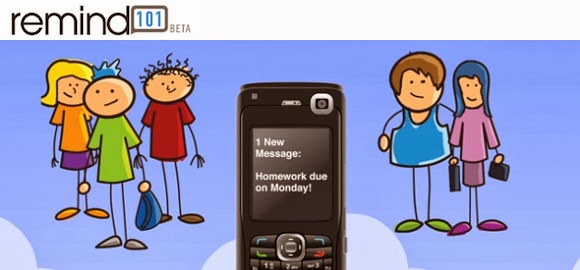 It also gives parents/students an option to receive your messages as e-mails if they don't want the text
messages. My plan is to use this next year to post my homework. Remind 101 gives you a widget that shows a summary of the past text messages. My plan to embed this widget into my webpage so that there is a record of the homework assignments that I send out. Plus it's a way for students who don't sign up for this to have a place to see the homework if they forget to write it down during class.
Take a look at this short video to learn more.
What is your preferred method of communication with parents/students?
Right now they are running a back to school contest where you can win $500 in classroom supplies just for signing up!
It also gives parents/students an option to receive your messages as e-mails if they don't want the text messages. My plan is to use this next year to post my homework. Remind 101 gives you a widget that shows a summary of the past text messages. My plan to embed this widget into my webpage so that there is a record of the homework assignments that I send out. Plus it's a way for students who don't sign up for this to have a place to see the homework if they forget to write it down during class.
Take a look at this short video to learn more.
What is your preferred method of communication with parents/students?
Sunday, August 25, 2013
URL shorteners
As you know I love using Google with my classes and often create documents such as Forms that I want to share with multiple people. Just recently I created a Google Form that I want all of the seniors in my school fill out. I have no way to electronically send a link so I had to include it in the flyer that gets mailed home. If I sent a really long link I'm sure there would have be many people who either wouldn't bother typing it in or would type it in wrong. So I shortened the link so that it is much easier. Two websites that I use to shorten the links are www.tinyurl.com and http://goo.gl/.
Goo.gl
When you use Goo.gl not only to do you get a shortened link, but you get a QR code for that link as well as some basic analytics about how many times people clicked on your link, what browser they were using and some others. If you are logged into your Google account (and why wouldn't you be) you can go back to goo.gl and get any of the shortened URLs that you have made in the past.
TinyURL
TinyURL is basically a simpler version of Goo.gl. You get a shortened URL, but you don't get any of the analytics or a place to go back to access your links. The one thing that TinyURL does that Goo.gl doesn't is that it gives you the option to use your own word as part of the URL. For example, you can turn a link into something like http://tinyurl.com/KindleWireless (where you got to pick what you wanted part of the link to be. Give it is a try below!
What can you see yourself using a link shortener for?
Goo.gl
When you use Goo.gl not only to do you get a shortened link, but you get a QR code for that link as well as some basic analytics about how many times people clicked on your link, what browser they were using and some others. If you are logged into your Google account (and why wouldn't you be) you can go back to goo.gl and get any of the shortened URLs that you have made in the past.
TinyURL
TinyURL is basically a simpler version of Goo.gl. You get a shortened URL, but you don't get any of the analytics or a place to go back to access your links. The one thing that TinyURL does that Goo.gl doesn't is that it gives you the option to use your own word as part of the URL. For example, you can turn a link into something like http://tinyurl.com/KindleWireless (where you got to pick what you wanted part of the link to be. Give it is a try below!
What can you see yourself using a link shortener for?
Saturday, August 24, 2013
My Online Planbook

I have science classes with various labs (we call them FLEX) every 4 days. I am able to make it so that planbook automatically grays out the days that I don't have the lab and labels the ones that I did.
Anyone have any good planning methods they want to share?
Subscribe to:
Posts (Atom)