Showing posts with label OneNote. Show all posts

Monday, December 14, 2020

What is Immersive Reader?

You may have heard of Immersive Reader, but if you haven't (or just want to learn a bit more) I got you! It's basically a tool that helps to improve reading comprehension. It's great for new readers, language learner (not just English language learners) and anyone with learning differences such a dyslexia. The best thing is that it works in so many programs! If you want to see some examples of program, this short video goes through many of them.

So let's take a look at some of the things it can do. 


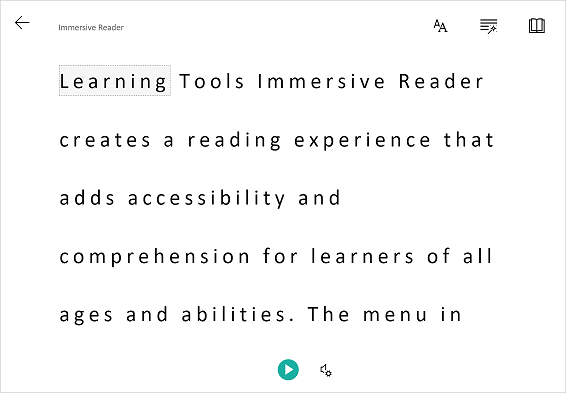
One thing it can do is to isolate content to improve readability.  This can be by highlighting a specific word or only showing a line or two to help focus. 


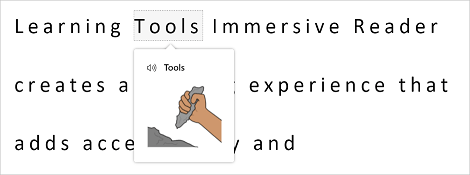
If you click on a word you can use the picture dictionary to see a graphical representation of the word as well as hear the word spoken. 


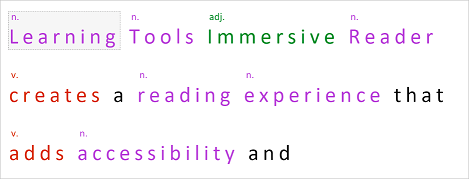
It can also help when learning parts of speech and grammar by highlighting verbs, nouns, pronouns, and more.

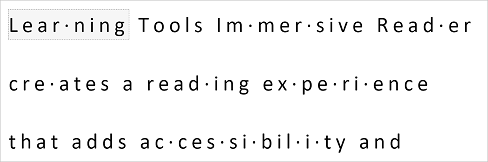
You can break words up into syllables to help new readers sound out words. 


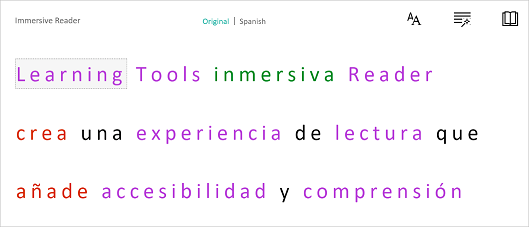
The last thing that I am going to mention is that Immersive Reader can translate text into a wide variety of different languages . The great thing is that all of the above tools also work when the text is translated!


Thursday, April 2, 2020

How to Distribute a Page in OneNote

Below is a quick video on how to distribute a page in Microsoft OneNote.  Let me know if there are any other tips your need a quick video on.  You can check out my whole playlist of Microsoft Tutorials or my channel of EdTech Videos.


Friday, December 22, 2017

Getting Started with OneNote

For the past year I have been at a Microsoft School.  One of my jobs is teaching students and teachers how to use OneNote.  OneNote is the digital binder system that we use.  It can be difficult when you have many teachers who are at different technology levels.  I always like to provide something for the teachers to do on their own after they leave the pd.  I found this post by a fellow tech coach named Stephanie Elliot with 8 tasks to help you use OneNote.

Click on the image below to be brought to Stephanie's post.
https://www.smore.com/r3zmh-getting-started-with-one-note